



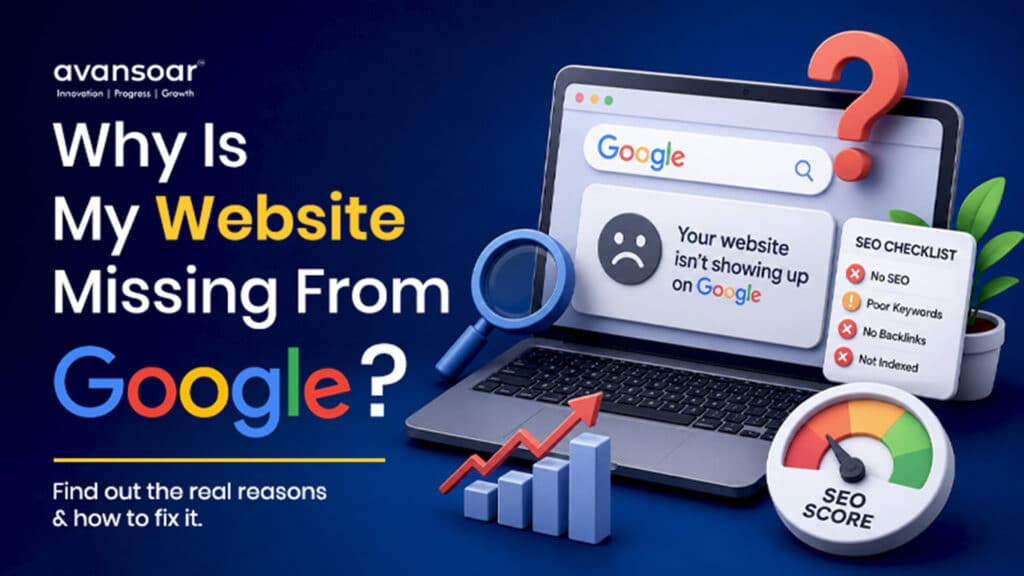
You’ve launched your small business website, added your services, published your contact information, and made sure everything looks professional. Then you search Google for your business or services—and your website doesn’t appear.
So, why isn’t my small business website showing on Google?
There can be several reasons. Google needs to discover and crawl your website, understand its content, index the pages, and determine whether those pages are relevant and valuable enough to appear for particular searches.
Sometimes the problem is technical, such as a blocked page or indexing issue. In other cases, the website is indexed but has poor search visibility because of weak content, competitive keywords, limited authority, or an unclear SEO strategy.
For a small business, identifying the actual problem is more important than simply adding more keywords.
This guide explains the most common reasons a website is not showing on Google and the practical steps you can take to improve its visibility.
Is Your Website Actually Missing From Google?
Before changing anything, determine whether Google has indexed your website.
A quick way to check is to search Google for:
site:yourdomain.com
Replace yourdomain.com with your actual domain.
If Google displays pages from your website, at least some of your pages have been indexed.
If no pages appear, your website may have an indexing or technical issue that needs investigation.
However, remember an important distinction:
Being indexed does not mean ranking well.
Your website can be indexed by Google but still appear very low in search results for competitive keywords.
Common Reasons Your Website Is Not Showing on Google
1. Google May Not Have Indexed Your Website Yet
One of the simplest explanations for a new website not appearing on Google is that Google hasn’t discovered or indexed it yet.
Google uses automated systems to discover websites and pages. New websites, pages with few internal links, or websites with limited external signals may take time to be discovered.
What You Can Do
Set up Google Search Console and:
- Submit your XML sitemap.
- Inspect important URLs.
- Check indexing status.
- Review indexing errors.
- Monitor discovered and indexed pages.
- Request indexing for important pages when appropriate.
Google Search Console should be one of the first tools a small business uses when investigating a website not showing on Google.
2. Your Website Could Be Blocking Search Engines
Technical SEO settings can prevent Google from accessing or indexing important pages.
For example, a page may accidentally contain a noindex instruction.
Your website’s robots.txt file can also contain rules that restrict crawling.
Other technical problems can include:
- Incorrect canonical tags
- Server errors
- Redirect problems
- Broken URLs
- Password-protected pages
- Incorrect HTTP status codes
- Pages that cannot be properly rendered
If your homepage or important service pages are blocked, Google may have difficulty discovering or indexing them.
A technical SEO audit can identify these problems before they become larger search visibility issues.
3. Your Website May Be Indexed but Not Ranking
This is a very common situation.
You search for your business website and don’t see it on the first page. That doesn’t necessarily mean Google hasn’t indexed it.
Your page could be ranking on page two, page five, or even further down.
For example, a small software company might have a page targeting:
The page could be indexed but face significant competition from established companies and websites.
In this situation, the problem isn’t necessarily indexing.
The problem is ranking and search visibility.
4. You’re Targeting Keywords That Are Too Competitive
Small businesses often make the mistake of targeting broad keywords immediately.
For example:
- Web development company
- Digital marketing company
- Software development company
- SEO company
These keywords can be highly competitive.
Instead, build a keyword strategy around more specific searches that match your services, audience, and locations.
Examples include:
- Custom web development for small businesses
- SaaS development services for startups
- Mobile app development for businesses
- Digital marketing services for small businesses
- Custom software development services
Long-tail keywords can help businesses target users with more specific needs.
The goal isn’t to rank for every keyword.
The goal is to rank for relevant searches that can bring qualified visitors.
5. Your Website Content May Not Clearly Explain Your Services
Google needs to understand what your business does.
A website with attractive graphics but very little useful text can make it difficult for search engines to determine its relevance.
Your important pages should clearly explain:
- What you offer
- Who you serve
- What problems you solve
- Where you provide services
- How your process works
- Why customers should consider your business
- How visitors can contact you
Avansoar’s website, for example, clearly presents services including Web Development, App Development, UI/UX Design, Digital Marketing, and IT Consulting.
This service-focused structure provides opportunities to develop dedicated pages and supporting content around each area.
6. You May Not Have Enough Helpful Content
A small business website doesn’t need hundreds of pages.
It does, however, need useful pages that answer the questions your potential customers are asking.
Service Pages
Create detailed pages for important services.
For example:
- Web Development
- App Development
- UI/UX Design
- Digital Marketing
- IT Consulting
Educational Blog Content
Answer questions customers search for before purchasing.
Examples:
- Why Isn’t My Website Showing on Google?
- How Much Does Custom Web Development Cost?
- What Is the Difference Between a Website and a Web Application?
- How Can Small Businesses Improve Online Visibility?
- What Should You Look for in a Software Development Company?
Case Studies
Explain actual projects, challenges, solutions, and outcomes where you have permission and verifiable information.
Avansoar already has an Our Work section showcasing projects across different industries and countries, which can provide a strong foundation for further case-study content.
7. Your Internal Linking May Be Weak
Internal links connect related pages on your website.
They help visitors navigate your website and help search engines understand how different pages relate to each other.
For example:
Blog → Web Development Service → Relevant Project/Case Study → Contact
A blog discussing website visibility could naturally link to relevant service pages.
Don’t add links simply for SEO.
Links should help readers discover useful information.
A good internal linking structure also makes it easier for search engines to discover important pages.
8. Your Website May Have Limited Authority
Google considers more than what’s written on your website.
Your website’s broader online presence can also help establish relevance and credibility.
Potential authority signals include:
- Relevant backlinks
- Industry publications
- Business directories
- Local citations
- Partner websites
- Digital PR
- Genuine brand mentions
- Quality references from relevant websites
However, avoid buying large numbers of low-quality backlinks.
A smaller number of relevant, trustworthy links can be considerably more valuable than hundreds of unrelated links.
9. Your Local SEO May Need Improvement
If your business serves specific geographic markets, local SEO can help you become more visible to relevant customers.
Important local SEO elements can include:
- Google Business Profile
- Consistent business information
- Location-relevant content
- Local citations
- Customer reviews
- Local backlinks
- Service-area information
- Appropriate structured data
If a business wants visibility in a particular market, its website content and local SEO signals should clearly support that geographic intent.
10. Your Website May Have Technical SEO Problems
Technical SEO affects how easily search engines can access and understand your website.
Mobile Usability
Your website should provide a good experience on smartphones and tablets.
Page Speed
Slow-loading pages can negatively affect user experience and should be investigated.
HTTPS
Your website should use a secure HTTPS connection.
Broken Links
Review internal links regularly and fix important broken URLs.
XML Sitemap
Maintain an accurate XML sitemap containing important canonical URLs.
Canonical Tags
Use canonical tags appropriately when similar or duplicate URLs exist.
Redirects
Make sure old URLs redirect to relevant replacement pages rather than creating chains or loops.
Status Codes
Important pages should return the correct HTTP status code.
Technical SEO should be reviewed alongside content and keyword strategy rather than treated as a separate one-time task.
11. Your Website May Not Match Search Intent
Another reason a page may have poor search visibility is that it doesn’t properly answer what the searcher wants.
Consider the keyword:
“why isn’t my website showing on Google”
The searcher probably wants troubleshooting information.
They don’t want a page that simply repeats:
“We provide SEO services.”
A useful article should explain:
- Indexing
- Crawling
- Technical SEO
- Search Console
- Content
- Keywords
- Internal links
- Authority
- Local SEO
Matching search intent makes content more useful to readers and gives search engines a clearer understanding of the page.
How to Check Why Your Website Isn’t Showing on Google
Follow this process before making major SEO changes.
Step 1: Perform a Google Search
Search:
site:yourdomain.com
This provides a quick indication of whether pages from your domain are indexed.
Step 2: Check Google Search Console
Review:
- Pages
- Sitemaps
- URL Inspection
- Search performance
- Core Web Vitals
- Indexing issues
Step 3: Inspect Your Important URLs
Check your:
- Homepage
- Service pages
- Location pages
- Important blog posts
- Contact page
Step 4: Review Robots.txt
Make sure important sections of your website aren’t accidentally blocked.
Step 5: Check for Noindex Instructions
Confirm that pages you want Google to display aren’t marked noindex.
Step 6: Review Your Content
Ask whether each important page:
- Has a clear purpose
- Addresses a real customer need
- Uses relevant keywords naturally
- Provides useful information
- Has a logical heading structure
- Links to related pages
Step 7: Review Your Internal Links
Make sure important pages aren’t isolated from the rest of your website.
Step 8: Review Your SEO Authority
Look at your backlinks, brand mentions, local citations, and industry references.
How Can a Small Business Improve Google Search Visibility?
Improving search visibility requires a combination of activities rather than one SEO trick.
Build a Strong Website Structure
Organize your website logically around your main services and customer needs.
Create Useful Service Pages
Each major service should have a dedicated page where appropriate.
Publish Helpful Content
Create articles that answer questions your customers actually search for.
Target Relevant Keywords
Choose keywords based on search intent, competition, relevance, and business value.
Strengthen Internal Linking
Connect related services, blogs, case studies, and supporting pages.
Improve Technical SEO
Fix crawling, indexing, mobile, speed, redirects, canonicalization, and other technical issues.
Build Relevant Authority
Earn legitimate mentions and backlinks from relevant websites.
Monitor Search Performance
Use Search Console and analytics data to understand what is working and what needs improvement.
How Long Does It Take for a Website to Appear on Google?
There is no fixed timeframe.
A website may be discovered and indexed relatively quickly, but achieving meaningful rankings can take considerably longer.
The timeframe depends on factors such as:
- Website history
- Technical health
- Content quality
- Keyword competition
- Website authority
- Search intent
- Industry
- Geographic market
- SEO consistency
Therefore, businesses should distinguish between:
Getting indexed → Getting impressions → Ranking → Getting clicks → Generating leads
These are different stages of organic search growth.
Common SEO Mistakes Small Businesses Should Avoid
If your website isn’t showing on Google, avoid making the situation worse with shortcuts.
Don’t Stuff Keywords
Repeating the same keyword excessively does not create better content.
Don’t Create Dozens of Thin Pages
More pages don’t automatically mean better SEO.
Don’t Copy Competitors
Create original, useful information based on your expertise and customers.
Don’t Buy Spammy Backlinks
Low-quality link schemes can create long-term SEO problems.
Don’t Change URLs Without a Plan
URL changes should be supported by appropriate redirects.
Don’t Ignore Technical SEO
A beautiful website can still have crawling or indexing problems.
Don’t Expect Instant Results
SEO requires monitoring, testing, improvement, and consistency.
A Practical SEO Checklist for Small Businesses
Before assuming that Google is ignoring your website, check these areas:
- Website is accessible
- HTTPS is working correctly
- Important pages are crawlable
- Important pages are indexable
- XML sitemap is available
- Google Search Console is configured
- Important URLs have been inspected
- Website has clear service pages
- Pages target relevant search intent
- Keywords are used naturally
- Internal linking is implemented
- Mobile experience is strong
- Important broken links are fixed
- Redirects are configured correctly
- Local SEO information is consistent
- Website has useful supporting content
- Relevant authority and backlinks are being developed
- Search performance is monitored regularly
Final Thoughts
If your website is not showing on Google, don’t immediately assume that you need a completely new website.
First determine whether the problem is indexing, technical SEO, content, keyword targeting, search intent, authority, or local search visibility.
A website needs more than attractive design to perform in organic search. It needs a technically accessible structure, useful content, relevant keywords, logical internal linking, strong user experience, and ongoing SEO improvements.
For businesses looking for technology-led digital growth, Avansoar combines web development, app development, UI/UX design, digital marketing, and IT consulting as part of its broader digital transformation offering.
The right approach is to diagnose the actual problem first and then build an SEO strategy around measurable improvements.
If your small business website isn’t getting the visibility it deserves, a technical SEO and content audit can help identify the barriers and create a practical path toward stronger organic search performance.
Frequently Asked Questions
Why Isn’t My Small Business Website Showing on Google?
Your website may not have been indexed, may have technical SEO problems, or may be indexed but ranking poorly because of competition, content quality, search intent, or limited authority.
How Do I Check if Google Has Indexed My Website?
Search Google for site:yourdomain.com. You can also use Google Search Console to inspect individual URLs and review their indexing status.
Does Having a Website Guarantee Google Rankings?
No. A website is only the foundation. Search visibility depends on factors such as relevance, content quality, technical accessibility, competition, authority, and user experience.
How Can I Improve My Website’s Google Visibility?
Start by checking indexing and technical SEO. Then improve keyword targeting, content, internal linking, website performance, local SEO, and relevant authority signals.
Should Small Businesses Invest in SEO?
If potential customers use search engines to find your services, SEO can be a valuable long-term marketing channel. It can help increase relevant organic visibility and support lead generation over time.
