



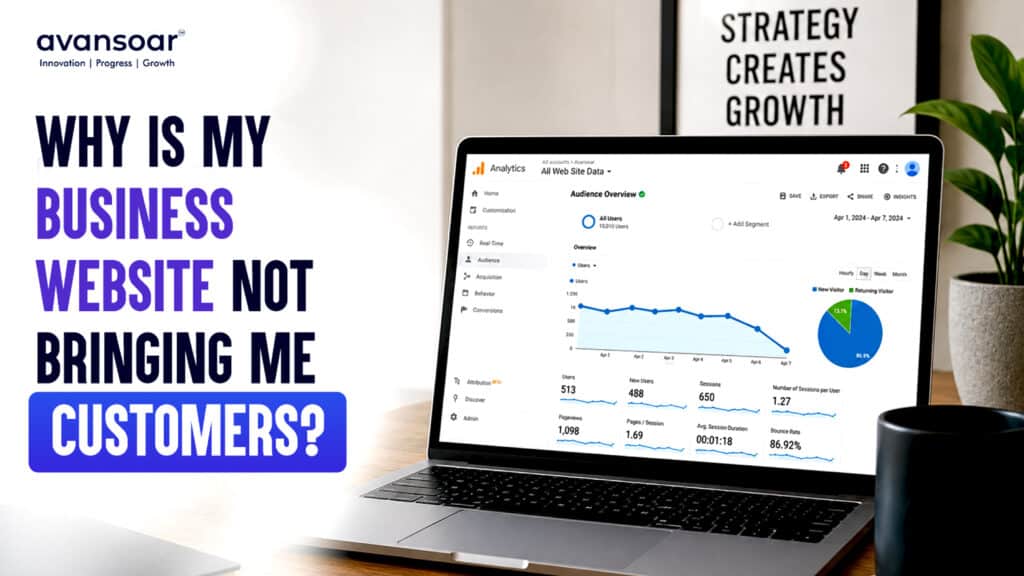
You invested time and money into building a business website. It looks professional, your services are listed, and your contact details are available.
But there is one problem:
Your website isn’t bringing you customers.
This is more common than many business owners realize. A website can look great and still fail to generate leads because its real job isn’t simply to look good. It needs to attract the right visitors, build trust, communicate value and make it easy for people to take the next step.
If you’re asking, “why is my business website not bringing customers?”, there may be several reasons.
1. Your Website Doesn’t Clearly Explain What You Offer
One of the biggest website conversion problems is unclear messaging.
When someone lands on your homepage, they should quickly understand:
- What your business does
- Who you help
- What products or services you provide
- Why they should choose you
- What they should do next
If visitors have to read several paragraphs to understand your offering, they may simply leave.
Your headline should communicate your main value clearly instead of relying on generic statements such as “Welcome to Our Website” or “We Provide Quality Solutions.”
A stronger message focuses on the customer’s problem and the solution you provide.
2. Your Website Gets Traffic but Doesn’t Generate Leads
Getting visitors is only one part of digital marketing.
If your website receives traffic but produces very few enquiries, the problem may be conversion, rather than traffic.
For example, your website might have:
1,000 visitors 0–5 enquiries →
That could indicate problems with your:
- Call-to-action
- Landing pages
- Service descriptions
- Contact forms
- Website navigation
- Trust signals
- Overall user experience
Your website should guide visitors toward a specific action instead of leaving them wondering what to do next.
3. There Is No Clear Call-to-Action
A potential customer may be interested in your service but still leave because there is no obvious next step.
Every important page should have a clear CTA.
Examples include:
Get a Free Consultation
Request a Quote
Book a Call
Talk to Our Team
Get Started Today
Don’t make users search for your contact information.
A good website makes the next action obvious.
4. Your Website Is Difficult to Use on Mobile
A large percentage of users browse websites from smartphones.
If your website is difficult to navigate on mobile devices, visitors may leave before contacting you.
Check whether:
- Text is easy to read
- Buttons are easy to tap
- Pages load properly
- Forms work on mobile
- Navigation is simple
- Images fit the screen
- Important information appears without excessive scrolling
Responsive web design isn’t simply about making a desktop website smaller. The experience should work naturally across different devices.
5. Your Website Takes Too Long to Load
Slow websites can create a poor user experience.
If visitors have to wait for pages, images or interactive elements to load, they may leave before seeing your offer.
Website performance can be affected by:
- Large images
- Poor hosting
- Excessive plugins
- Unoptimized code
- Third-party scripts
- Poorly implemented website features
Improving performance can make the website easier to use while supporting a better overall customer journey.
6. Your Website Doesn’t Build Enough Trust
People don’t automatically trust a business simply because it has a website.
Before contacting you, potential customers may look for evidence that your business is legitimate and capable.
Consider including:
- Customer testimonials
- Reviews
- Case studies
- Portfolio examples
- Certifications
- Industry experience
- Client logos where appropriate
- Clear company information
For service businesses especially, trust can make a major difference in whether a visitor becomes a lead.
7. Your Website Looks Outdated
Design influences how visitors perceive your business.
An outdated website can make your company appear less professional—even if the actual service you provide is excellent.
Common signs of outdated web design include:
- Cluttered layouts
- Poor typography
- Too much text
- Inconsistent branding
- Difficult navigation
- Low-quality images
- Outdated information
- Poor mobile experience
Modern web design should balance visual appeal with usability and conversion.
8. Your Services Are Not Presented Properly
Simply listing your services isn’t enough.
Each important service should explain:
What is the service?
Who is it for?
What problem does it solve?
What are the benefits?
Why should customers choose you?
What should they do next?
Well-structured service pages can help visitors understand your offering while also creating more opportunities to target relevant search queries.
9. Your Website Isn’t Optimized for Search
A website can be visually impressive but still receive very little organic traffic.
If your target customers cannot find your website through search engines, you are missing potential opportunities.
Basic SEO elements include:
- Relevant keyword targeting
- Optimized page titles
- Meta descriptions
- Proper headings
- Helpful content
- Internal linking
- Image optimization
- Technical SEO
- Local SEO where relevant
SEO helps your website become more discoverable when potential customers are actively searching for products or services like yours.
10. Your Website Doesn’t Match Your Marketing
Another common problem occurs when advertising, social media and the website communicate different messages.
For example, an advertisement might promote:
“Affordable Custom Software Development”
But the landing page simply says:
“Welcome to Our Company.”
That disconnect can reduce conversions.
Your ads, social media content and landing pages should have a consistent message and guide visitors toward the same objective.
How to Improve Website Conversion
If your business website is not bringing customers, start by reviewing the entire customer journey.
Step 1: Identify Your Target Customer
Understand who you want to attract and what they are looking for.
Step 2: Improve Your Homepage Message
Make your value proposition clear within seconds.
Step 3: Strengthen Your Service Pages
Explain benefits, solve customer problems and include relevant CTAs.
Step 4: Add Trust Signals
Use reviews, testimonials, case studies and portfolio work to establish credibility.
Step 5: Improve UX and Mobile Design
Make navigation simple and ensure the website works smoothly across devices.
Step 6: Optimize for Search
Target relevant keywords and improve your technical and on-page SEO.
Step 7: Track Conversions
Don’t measure success only through traffic.
Track:
- Form submissions
- Phone calls
- Consultation requests
- Quote requests
- Purchases
- Other important actions
This helps you understand whether your website is actually contributing to business growth.
Your Website Should Work as a Business Tool
A business website should do more than provide information.
It should work as a combination of:
Your Digital Storefront + Sales Assistant + Brand Representative + Lead Generation Channel
This requires more than attractive visuals.
It requires thoughtful web design, UI/UX, content, SEO, performance and conversion strategy.
Avansoar provides web development, UI/UX design and digital marketing solutions designed around business requirements, alongside software, app development and IT consulting services.
Conclusion
If your business website is not bringing customers, don’t immediately assume that you simply need more traffic.
The real problem could be your messaging, design, user experience, SEO, trust signals, website performance or conversion process.
A successful website doesn’t just attract visitors.
It turns the right visitors into enquiries, leads and customers.
If your website isn’t delivering the results you expect, it’s worth reviewing the complete customer journey—from the moment someone discovers your business to the moment they contact you.
A better website isn’t necessarily about adding more features. It’s about making every element work toward a clear business goal.
Frequently Asked Questions
1. Why is my business website not bringing customers?
Your website may not be converting visitors because of unclear messaging, weak calls-to-action, poor user experience, slow loading speeds, lack of trust signals, weak SEO or poorly structured service pages.
2. How can I get more leads from my business website?
Start by improving your value proposition, adding clear CTAs, optimizing service pages, building trust with testimonials and case studies, improving mobile UX and using SEO to attract relevant visitors.
3. Does good web design increase website conversions?
Good web design can improve usability, credibility and the customer journey. However, conversion also depends on messaging, offers, traffic quality, CTAs and the overall user experience.
4. Why does my website get traffic but no enquiries?
Traffic alone doesn’t guarantee leads. Your visitors may not be the right audience, or your website may have conversion issues such as unclear offers, weak CTAs, poor landing pages or insufficient trust signals.
5. Should I redesign my website if it isn’t generating leads?
Not always. A website audit can first identify the actual problems. Sometimes improving content, CTAs, UX, SEO or individual landing pages can produce better results without rebuilding the entire website.
